🧩 Wix app
✅ Start free: 10 verifications, no card.

Verify phone numbers on your Wix site.

A text code on your forms, after member sign-up, at login and before checkout. Blue iMessage for iPhones, SMS for everyone else. No fake numbers, fewer bots.

✓ Wix Forms, Members & Stores  ·  ✓ Optional 2-step login  ·  ✓ No A2P 10DLC or Twilio  ·  ✓ Optional SMS opt-in list
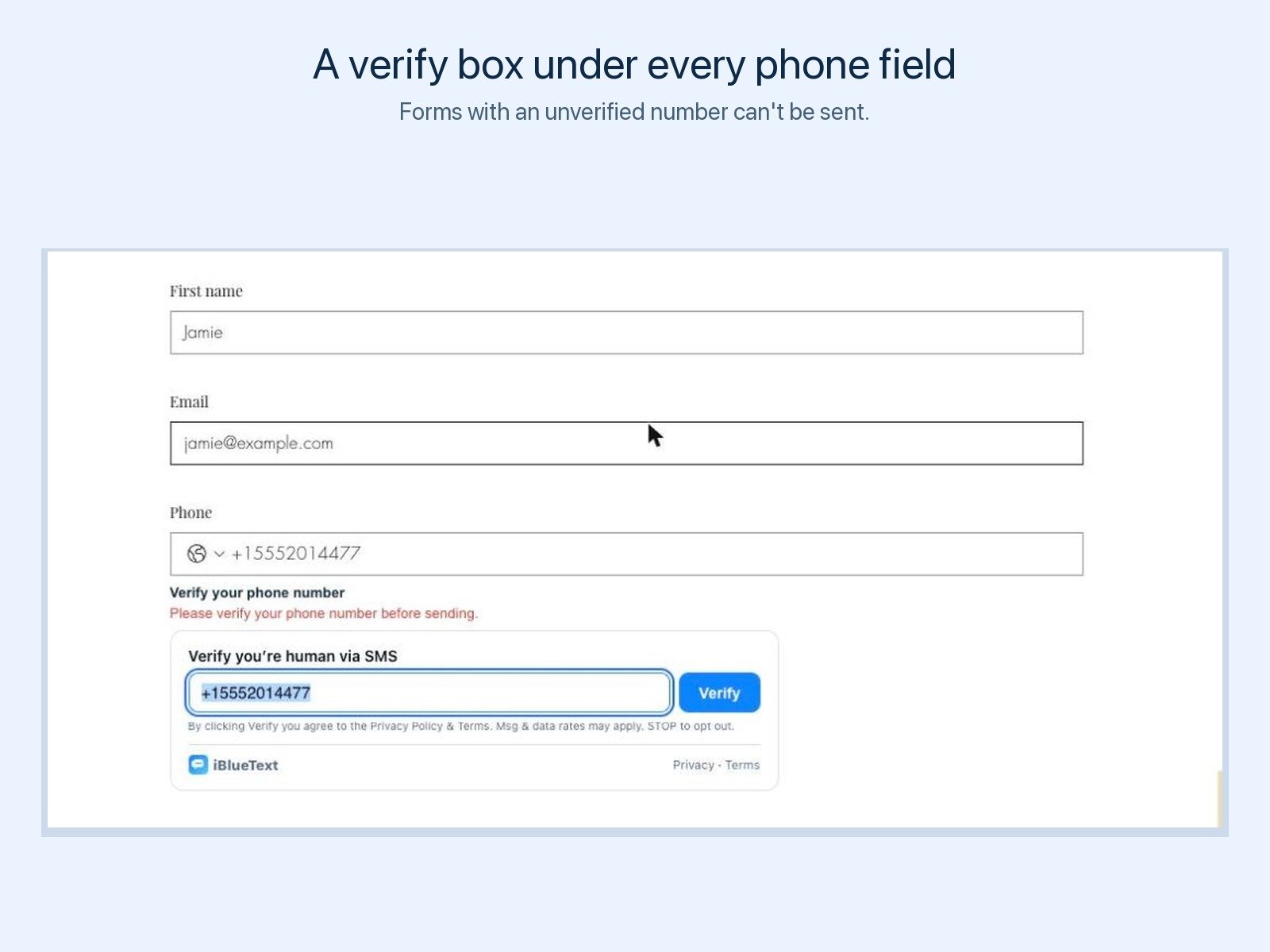
A verify box under the phone field on a Wix contact form

Set up in three steps

1

Add the app

Click Add to Wix, pick your site and approve. It appears in your dashboard as Phone Verify.

2

Connect a free account

Create a free iBlueText account right from the app (or sign in). Your site connects automatically.

3

Pick where to verify

Switch on forms, member sign-ups, 2-step login and checkout. The verify box shows up on your live site by itself.

Where it checks numbers

📝 Forms

A verify box under the phone field. The form can't be sent until the number is verified.

👤 Member sign-up

New members verify their phone right after they sign up, and the number is saved to their Wix contact.

🔐 2-step login

Optional: members confirm a texted code every time they log in.

🛒 Checkout

Orders with an unverified phone are blocked until the buyer verifies.

📋 SMS opt-in list

Optional checkbox in the verify box. People who opt in land in your Contacts with proof of consent, ready for a campaign.

📊 Dashboard

See every verification and member status in your Wix dashboard, and export members as a CSV.

Add Phone Verify to Wix

Simple plans

Billed through Wix. Yearly billing is cheaper.

Free

$0

10 verifications included, then half a cent each from your iBlueText credits. No card to start.

Verify 500

$5.99/mo

Up to 500 verifications a month. $4.99/mo billed yearly.

Verify 1000 Popular

$9.99/mo

Up to 1,000 verifications a month. $8.33/mo billed yearly.

Verify 3000

$29/mo

Up to 3,000 verifications a month. $24.17/mo billed yearly.

Text your Wix customers too


Booking reminders, order and shipping texts: see our iBlueText Texting Wix app.

Not on Wix?


Use the same SMS Verify widget and API on any website. See all pricing.

Common questions

What does the iBlueText SMS Verify & 2FA Wix app do?

It checks that phone numbers on your Wix site are real by texting a 6-digit code. It adds a verify box under the phone field on your forms, asks new members to verify their phone right after they sign up, can ask members for a code every time they log in (2-step login), and blocks checkouts until the buyer's phone is verified.

Do visitors get the code by iMessage or SMS?

Both, chosen automatically. iPhone users get the code as a blue iMessage and everyone else gets a regular SMS.

Does it work with Wix Forms?

Yes. A verify box appears under the phone field and the form can't be sent until the number is verified. This check runs in the visitor's browser.

Can I build an SMS marketing list with it?

Yes, if you switch it on. The verify box can show an opt-in checkbox ("Yes, text me news and offers..."). People who keep it ticked are added to your iBlueText Contacts with the exact wording and time saved, and you can text them with a campaign or download them as a CSV. Verifying alone is not consent to marketing.

Do I need A2P 10DLC registration or a Twilio account?

No. Codes go out from real phone lines that iBlueText runs. There is nothing to register and nothing to connect.

What does it cost?

Free to start: your free iBlueText account includes 10 verifications, then each one is half a cent. Or pick a monthly plan in Wix: Verify 500 is $5.99 a month, Verify 1000 is $9.99 and Verify 3000 is $29. Yearly billing is cheaper.

How do I install it?

Click Add to Wix, choose your site and approve. Open Phone Verify in your Wix dashboard, create a free iBlueText account (or sign in), and choose where to verify: forms, sign-ups, logins and checkout.
Add to Wix free →