📱 New: the iBlueText app

Your customers, in your pocket.

iBlueText: Messaging CRM is the free app for your iBlueText account. Answer iMessage, SMS and WhatsApp conversations, see who needs a reply, book appointments and track every deal, wherever you are. Replies go out from your business number, not your personal one.

Get iBlueText: Messaging CRM on Google Play 📱 iPhone: coming soon
✓ Free  ·  ✓ Create an account in the app, no card  ·  ✓ Same inbox as the website
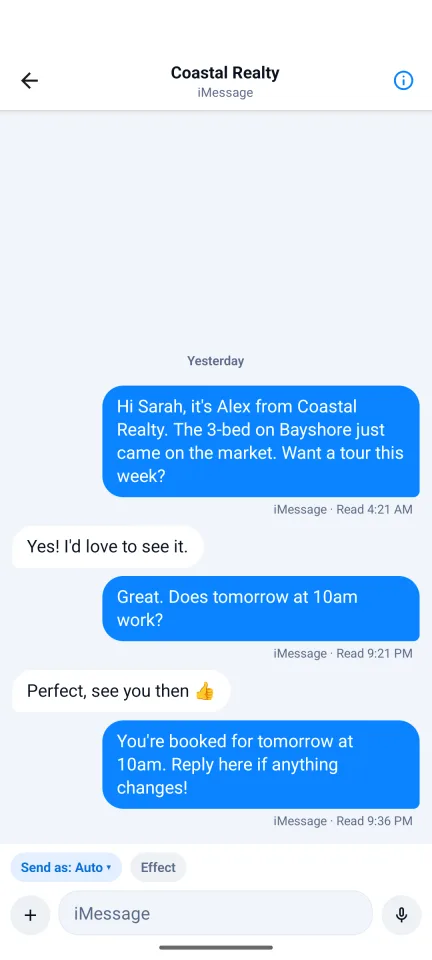
iBlueText app conversation screen with blue iMessage bubbles and read receipts
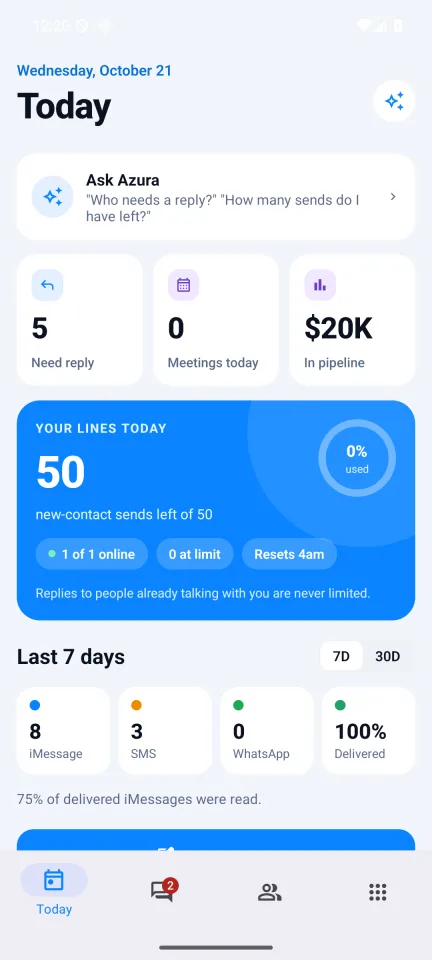
iBlueText app Today screen: replies waiting, pipeline value and delivery stats

What you can do in the app

Everything you need between campaigns, without opening a laptop.

☀️

Today

Who's waiting for a reply, today's appointments and your open pipeline at a glance, plus delivery and read rates for the last 7 or 30 days.

💬

Inbox

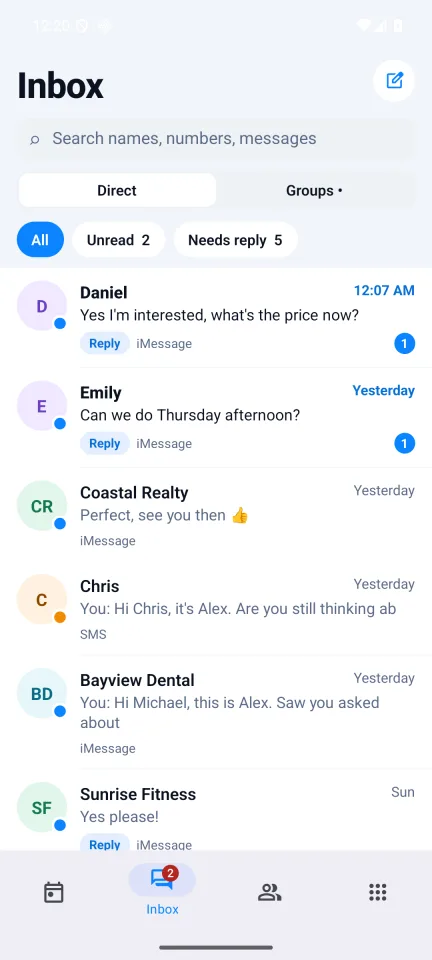
Every conversation across your lines: iMessage, SMS and WhatsApp. Reply with text, photos and voice messages. Add iMessage effects, reactions and threaded replies. Filter by unread, needs reply or assigned to you.

📇

Contacts & pipeline

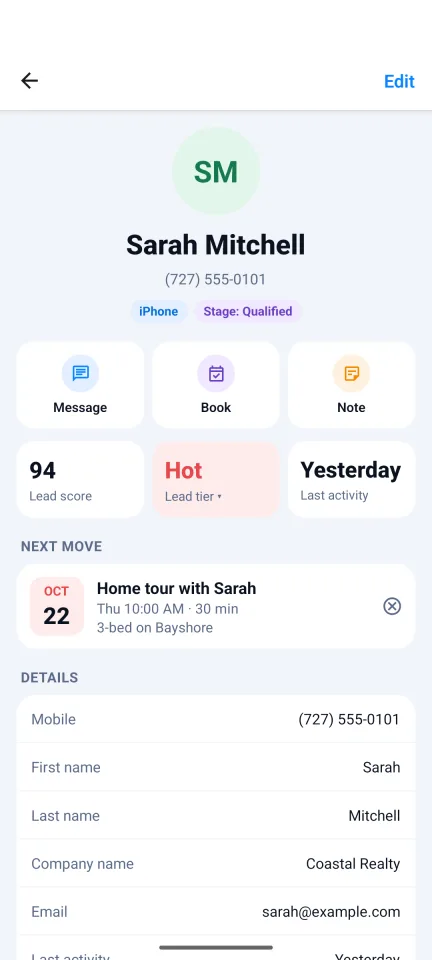
Tags, notes, pipeline stage and deal value on every contact, with a lead score that shows who's hot, warm or cold.

📅

Book appointments

Book a meeting from the contact card, add it to your phone's calendar, and send a confirmation text if you want one.

🪪

Scan business cards

Point your camera at a card to create a contact. It's read on your phone and the photo is never uploaded.

👥

Team-friendly

Internal notes your team can see but customers never do, group chats on hosted lines, and opt-out and block controls.

✨

Ask Azura

An optional AI assistant that answers questions about your account: "Who needs a reply?" "How many sends do I have left?"

📶

Your lines

See each line's status and today's sending, and show your Text-us QR code to customers in person.

🔒

App lock

Lock the app with your fingerprint or face so your customer conversations stay private.
A look inside

Today screen Inbox with customer conversations A conversation with read receipts Contact card with lead score and next appointment

Screens show sample data.

Get started in a minute

1

Install the app

Free on Google Play (search "iBlueText"). iPhone is coming soon.

2

Sign in

Use your iBlueText email, or create a free account right in the app. No card needed.

3

Answer your customers

Your conversations, contacts and lines are already there. Set up lines and campaigns on the website.

Common questions

What is the iBlueText app?

iBlueText: Messaging CRM is the free phone app for your iBlueText account. It shows the same inbox, contacts and pipeline as the website, so you can answer customers, book appointments and see how your texting is going from anywhere.

Does it send texts from my phone number?

No. Replies go out from your iBlueText lines, the same business numbers your customers already text, exactly like replying on the website. The app never reads or sends from your phone's own text messages.

Do I need an iBlueText account?

Yes, and you can create a free one inside the app (no card). Lines, campaigns and billing are set up on the website; the app is for the day-to-day conversations.

Is it on iPhone?

Android is available now on Google Play. The iPhone version is in App Store review and will be listed here the day it is approved.

How is this different from iBlueText SMS?

iBlueText SMS is a separate Android app that turns a spare Android phone into an SMS line for iBlueText Bridge on your Mac. iBlueText: Messaging CRM is the app you use to read and answer your conversations. Most people only need this one.

What does it cost?

The app is free. You pay only for what your iBlueText account uses, the same as on the website. See pricing.

Get iBlueText: Messaging CRM on Google Play📱 iPhone: coming soon